
Download RDown Rapidshare Downloader – Fast, Free, Secure RapidShare Tool
Overview
RDown Rapidshare Downloader is a lightweight Firefox add‑on designed to automate the retrieval of files hosted on RapidShare. If you regularly queue large files for later download, RDown lets you paste a list of links into a tiny panel that lives in the bottom‑right corner of the browser. Once the list is saved, the extension works quietly in the background, downloading each file one after another while you are away from the computer. The tool requires no complex configuration – simply install the add‑on, paste your URLs, and let RDown handle the rest. Although it does not support RapidShare premium accounts and is limited to Firefox versions up to 3.6, the free version remains a handy solution for users who need a “set‑and‑forget” downloader for standard RapidShare links.
Core Features & Benefits
- Simple Firefox integration – appears as a small icon in the lower‑right corner.
- Clipboard‑style link list – paste unlimited RapidShare URLs and save them for later.
- Automatic sequential downloading – processes links one by one without user intervention.
- Background operation – runs unobtrusively while you work or when the PC is idle.
- Supports Firefox 3.6 and newer (with limited compatibility on the very latest releases).
- Free to use – no subscription or hidden fees.
Why RDown Stands Out
For anyone who has ever stared at a long list of RapidShare URLs, the manual copy‑paste routine can be tedious. RDown eliminates that friction by acting as a personal download manager that lives inside your browser. Because it does not require a separate executable, you avoid extra system resources and potential security concerns associated with third‑party download managers. The add‑on’s minimalistic UI means you can keep it open while browsing other sites, and the download queue is preserved even if you close Firefox – you simply reopen the panel and continue where you left off.
Pros
- Extremely easy to set up – no configuration wizard required.
- Runs silently in the background, freeing you to use the PC for other tasks.
- Free and open‑source, with regular minor bug‑fix releases.
- Works with any standard (free) RapidShare link.
Cons
- Does not support RapidShare premium accounts or accelerated download speeds.
- Incompatible with the very latest Firefox releases (post‑3.6) without manual tweaks.
- Lacks advanced scheduling features found in dedicated download managers.
Installation, Usage & Compatibility
Getting RDown Rapidshare Downloader up and running is straightforward. Follow these steps:
- Open Firefox and navigate to the official add‑on page or a trusted repository.
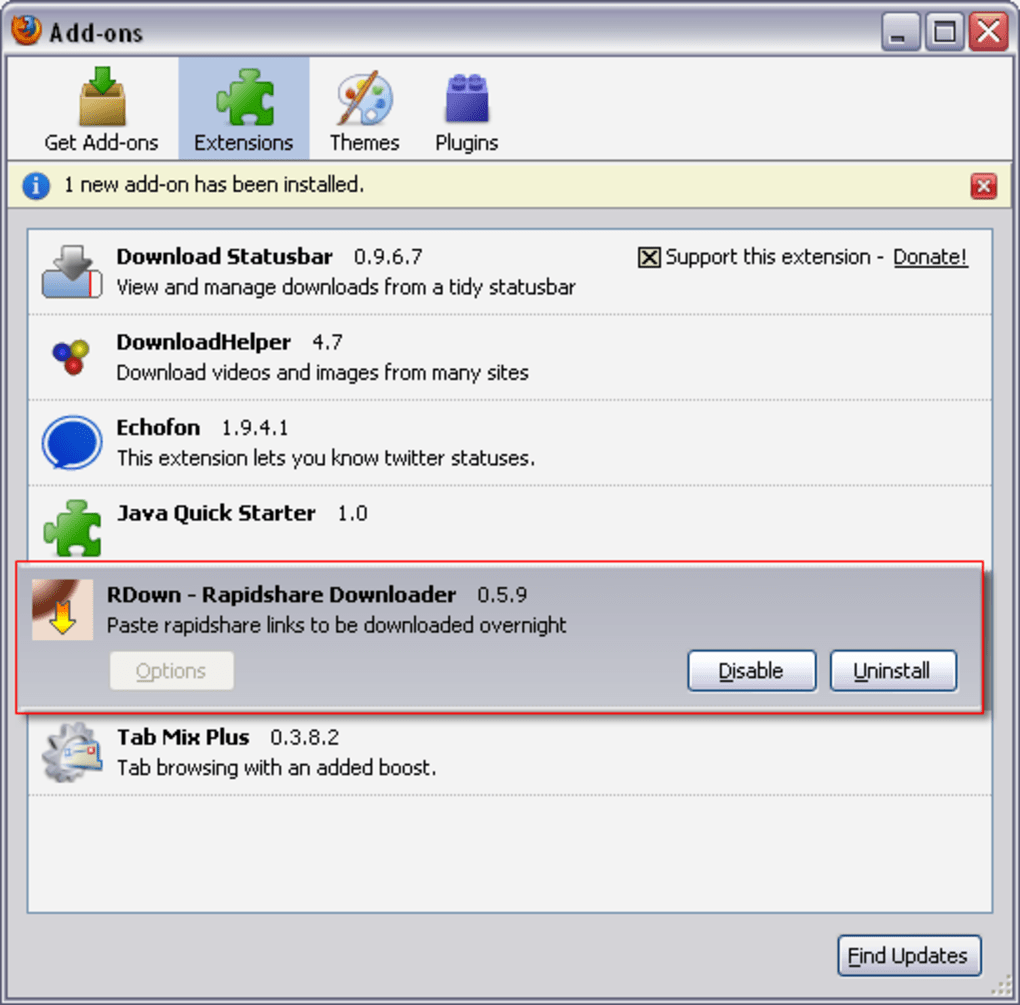
- Click the “Add to Firefox” button and confirm the installation prompt.
- After Firefox restarts, you will see a tiny RDown icon in the lower‑right corner of the window.
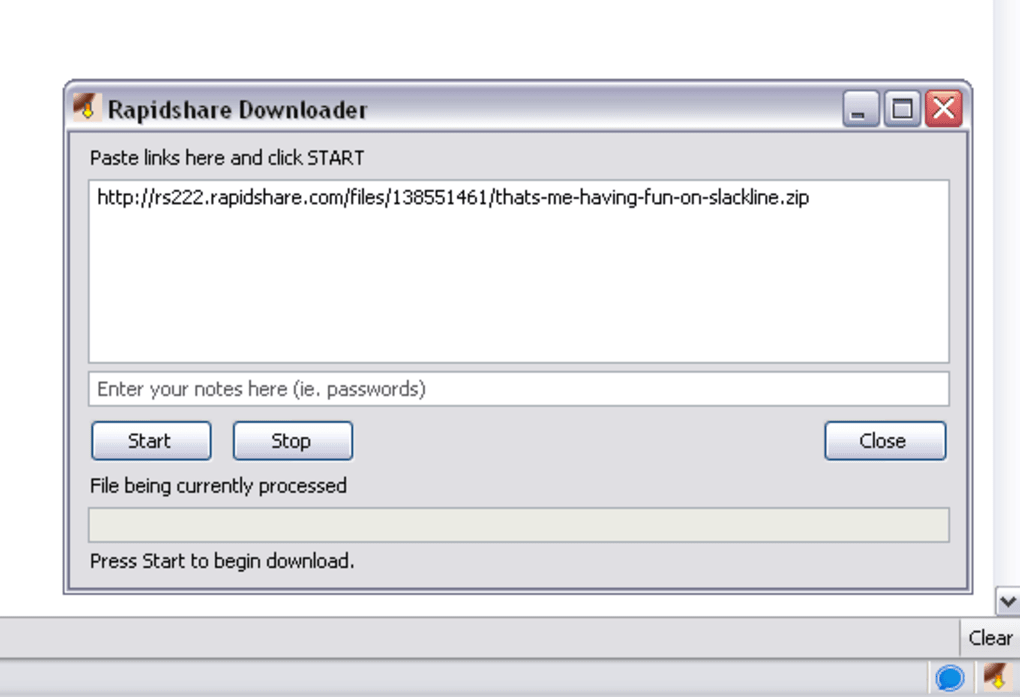
- Click the icon to open the download panel, then paste one or more RapidShare URLs into the text box.
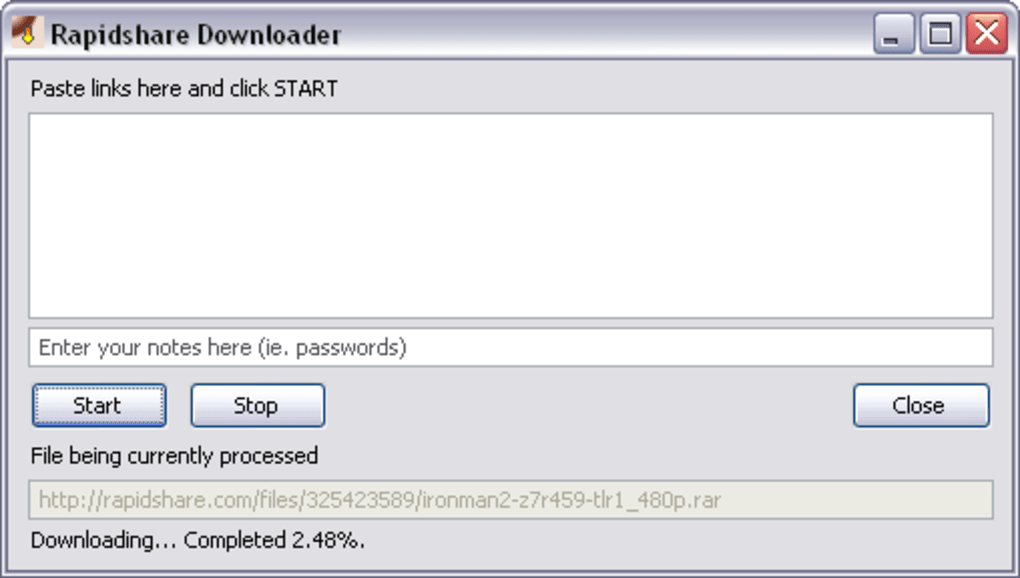
- Press “Start” – the extension will begin downloading the first file, then move on to the next link automatically.
- If you need to pause or stop the process, use the controls within the panel; your list is saved for later.
Compatibility: RDown is built specifically for the Firefox browser on desktop operating systems. It works reliably on Windows (XP, Vista, 7, 8, 10) and macOS (10.5 and later) as long as the Firefox version is 3.6 or newer. Linux users can also benefit from the add‑on, provided they run a compatible Firefox build. The extension does not function on mobile versions of Firefox, Android, or iOS, as those platforms lack the necessary extension framework.
Frequently Asked Questions
Can I use RDown with a RapidShare premium account?
No. RDown only supports standard (free) RapidShare links. Premium accounts require a different authentication method that the add‑on does not implement.
Is the download process secure?
Yes. RDown simply passes the URLs to Firefox’s built‑in download engine, which handles SSL/TLS verification for HTTPS links. The add‑on does not store passwords or personal data.
What happens if Firefox crashes while RDown is downloading?
The link list is saved locally, so after restarting Firefox you can reopen the RDown panel and continue from where you left off. Any partially downloaded files will need to be restarted.
Can I schedule downloads for a specific time?
RDown does not include a native scheduler. However, you can leave the panel open and let it run overnight, or use external OS‑level scheduling tools to launch Firefox at a chosen hour.
Is there a way to update RDown automatically?
When a new version is published on the add‑on site, Firefox will prompt you to update. You can also manually check for updates via the “Add‑ons Manager” in Firefox.
Conclusion & Call to Action
RDown Rapidshare Downloader offers a no‑frills, free solution for anyone who needs to batch‑download RapidShare files without juggling multiple browser tabs. Its seamless Firefox integration, background operation, and clipboard‑style link management make it especially useful for users who prefer to set their downloads and forget about them. While the lack of premium‑account support and limited compatibility with the newest Firefox releases are notable drawbacks, the core functionality remains solid for the target audience. If you’re looking for a lightweight, secure, and straightforward RapidShare automation tool, RDown is worth a try.
Ready to streamline your RapidShare downloads? Click the download button below to add RDown Rapidshare Downloader to Firefox now and start saving time today.
RDown delivers exactly what it promises: a simple, free way to queue RapidShare downloads inside Firefox. The UI is minimal, the process is reliable, and the add‑on respects user privacy. The main limitations are the lack of premium‑account handling and occasional incompatibility with the very latest Firefox builds. Overall, it earns a solid 4‑star rating for its intended audience.







